How to Choose the Right Tech Stack for Your Startup
Learn how to choose a startup tech stack based on your product, team, budget and growth plans, with real examples, comparisons and a practical checklist.

Choosing a tech stack can feel like choosing a route before you know exactly where your startup is going. One developer recommends React and Node.js. Another insists on Python. A third suggests using managed services so you barely need a backend at all.
Which recommendation should you trust?
The right tech stack for your startup is the simplest combination of technologies that meets your product requirements, fits your team’s skills and budget, and can be maintained as the business grows. It is not automatically the newest framework or the stack used by a famous company.
This guide explains how to make that decision, with examples you can adapt to your own startup.
What is a tech stack?
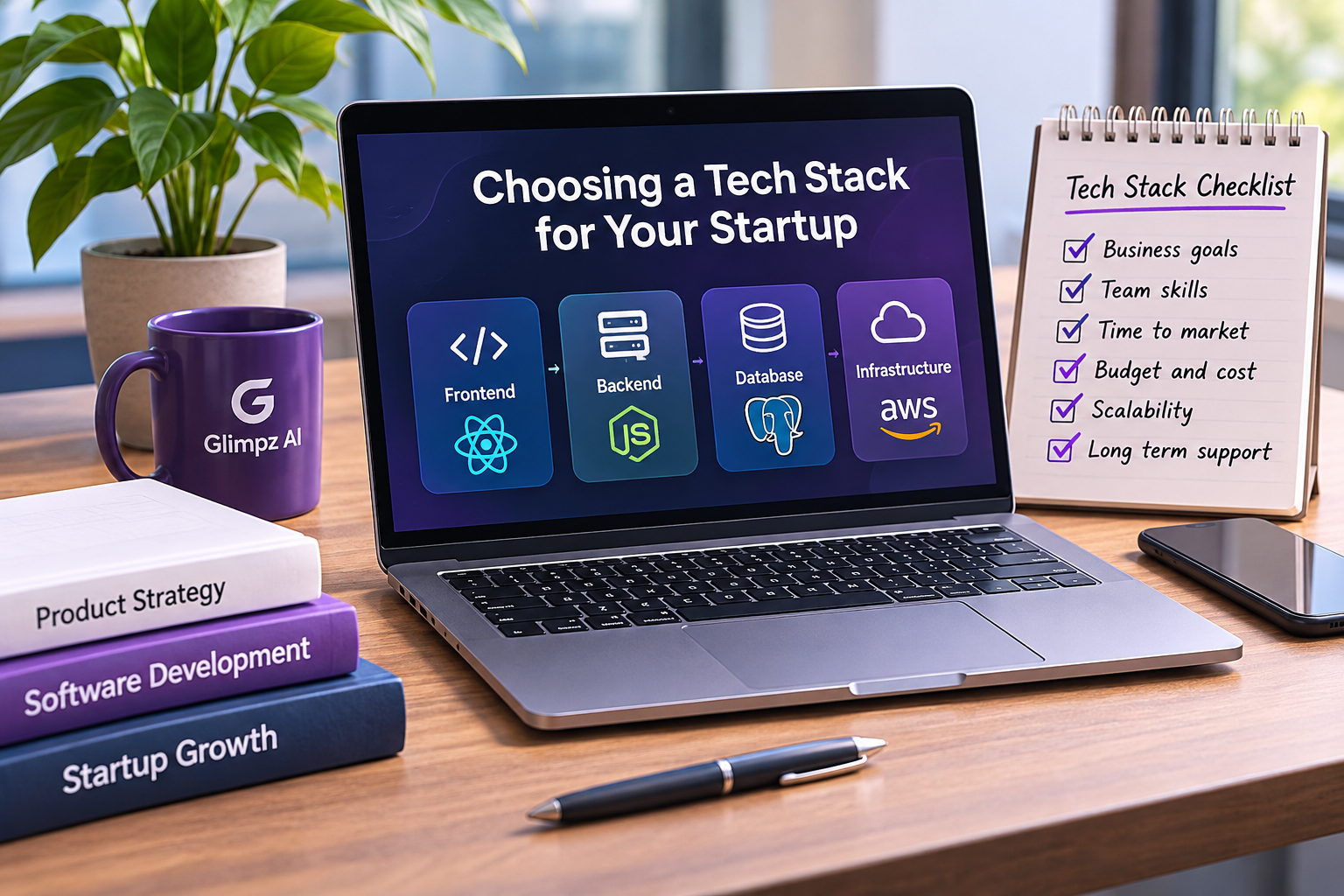
A technology stack, usually called a tech stack, is the collection of software tools and technologies used to build, run and maintain an application. For a typical web product, it includes four layers:
- Frontend: What users see and interact with, such as pages, buttons and forms.
- Backend: The server-side rules that process requests, permissions and business operations.
- Database: Where information such as accounts, orders and subscriptions is stored.
- Infrastructure and operations: Hosting, deployment, monitoring, backups and related services.
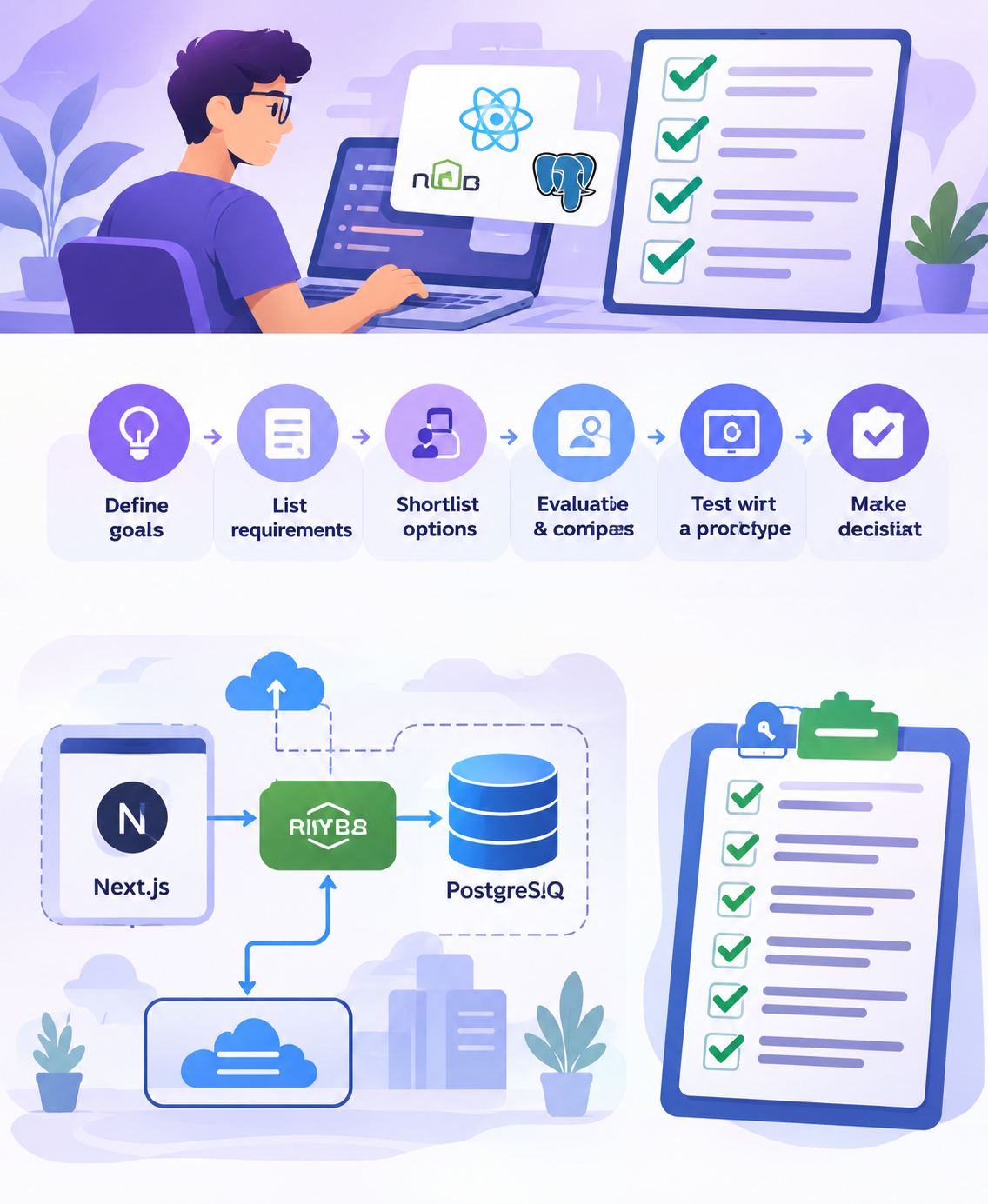
For example, a startup could build a web app using Next.js for its user interface and server-side features, PostgreSQL for its database, and a managed hosting platform for deployment. This is an example, not a universal recommendation.
Why does the choice matter for a startup?
Early-stage startups usually have limited time, cash and engineering capacity. A technology choice influences more than how quickly the first screen appears.
Imagine two founders planning a booking platform. One team spends weeks setting up separate microservices, custom authentication and a complicated deployment system. Another uses a well-understood framework, an established database and managed authentication to test the core booking process. The second approach may help them learn from real users sooner, provided it meets their actual needs.
Your stack affects:
- Time to launch. How much can your team build without fighting unfamiliar tools?
- Total cost. What will you pay for developers, hosting, third-party services and ongoing operations?
- Reliability and security. Can the team operate the system, protect data and recover from incidents?
- Hiring and maintenance. Will future developers be able to understand and extend the code?
- Flexibility. Can you add features or change providers without a full rewrite?
A strong early choice keeps important options open without paying for complexity you do not need yet.
Start with the product, not the programming language
Before comparing frameworks, write a one-page product brief. Keep it practical.
| Question | Example answer for a new booking startup |
|---|---|
| Who are the users? | Customers and service providers |
| What is the first core action? | Find an available time and make a booking |
| Which platforms matter at launch? | Responsive website first |
| What data must be stored? | User accounts, appointments and availability |
| Are there sensitive or regulated requirements? | Personal information, with access restrictions |
| When do we need real feedback? | After the smallest usable booking flow works |
| What can our team already build? | TypeScript, React and SQL |
This brief immediately narrows the field. A mobile-first navigation app, an internal reporting tool and a public content website can have very different requirements. There is no reason to force them onto the same architecture.
Seven factors to compare before committing
1. Product type and technical requirements
A brochure website may need little more than static pages and forms. A collaborative SaaS app needs user accounts, permissions, persistent data and potentially real-time updates. A mobile app requiring advanced camera or device functionality may benefit from native development or a carefully evaluated cross-platform framework.
List the features that are required on day one. Separate them from features you hope to build someday. This prevents future possibilities from dominating today’s decision.
2. Your team’s existing skills
A familiar, well-maintained technology can be a better startup choice than a fashionable tool that takes months to learn. Familiarity affects delivery speed, code reviews, debugging and hiring.
If your engineers already know TypeScript and React, a React-based web framework may reduce context switching. If the team has strong Python experience and the product involves substantial data processing, Django or FastAPI may be worth considering. Neither path is inherently better.
3. Time to launch
A minimum viable product, or MVP, is the smallest usable version that helps you test an important product assumption with actual users.
For an MVP, consider mature libraries, established frameworks, managed databases and reliable third-party services. Avoid building your own authentication, payment processing or deployment platform unless there is a clear need and the required expertise.
Speed is useful only if the resulting product is safe enough and reliable enough for its intended users.
4. Total cost, not just the free tier
A free hosting plan might support an experiment, but production costs change with traffic, storage, background jobs, email volume, database usage and support requirements. Pricing and usage limits also change over time.
Estimate the total cost of ownership: development time, hosting, third-party subscriptions, security maintenance, monitoring, support and future migrations. Add a margin for unexpected usage.
The AWS Well-Architected Framework (opens in a new tab) treats cost optimization alongside security, reliability, operational excellence and performance. These are useful considerations even when you do not host on AWS.
5. Scaling needs, without premature architecture
Scalability means a system can handle more work as demand grows. But a startup with a few pilot customers usually does not need the architecture of a global marketplace.
Begin with sound database design, useful indexes, efficient queries and a deployable application. Measure bottlenecks before adding caches, queues, microservices or multiple regions. Some products need those capabilities earlier, but that should follow from requirements or observed behavior.
A modular monolith, where features are separated logically inside one deployable application, is often a reasonable starting option.
6. Security, privacy and reliability
Ask how you will handle access control, secrets, backups, dependency updates, audit logs and recovery. Data sensitivity and relevant privacy obligations can rule out an otherwise convenient provider or design.
Authentication answers who is the user? Authorization answers what is this user allowed to do? They are different problems. For example, Supabase Auth documentation (opens in a new tab) explains authentication and its integration with Row Level Security, but correct authorization policies remain the application’s responsibility.
Use guidance such as the OWASP Cheat Sheet Series (opens in a new tab) for practical security implementation and review.
7. Ecosystem, longevity and exit options
Check whether the tools have maintained documentation, current security updates, useful libraries and an active developer ecosystem. Consider whether your team can export its data and move to another provider if costs or requirements change.
Vendor lock-in is not always unacceptable. A managed platform can save substantial effort. Just make the tradeoff consciously and document what would be difficult to replace.
A practical five-step way to choose your stack
Here is a lightweight method founders and small teams can actually use.
- Define must-haves. Write the core user journey, platform needs, data sensitivity and non-negotiable technical requirements.
- Rank priorities. Give the most important constraints more weight. For example, delivery speed, team familiarity, cost and operations.
- Shortlist two or three stacks. Compare complete combinations, not isolated programming languages.
- Test the riskiest assumption. Build a short proof of concept involving the hardest feature, such as a real-time workflow or payment integration.
- Record the decision. Note why the stack was selected, what you gave up and when the decision should be reviewed.
A simple weighted decision matrix
Suppose a small TypeScript team is choosing between two hypothetical approaches for a scheduling SaaS product. This table is an illustrative scoring exercise, not a benchmark.
Scores run from 1 (poor fit) to 5 (strong fit). Multiply each score by its weight, then add the results.
| Criterion | Weight | Option A: familiar full-stack framework | Option B: unfamiliar custom service stack |
|---|---|---|---|
| Team familiarity | 30% | 5 | 2 |
| Speed for the MVP | 25% | 5 | 3 |
| Expected operating cost | 20% | 4 | 3 |
| Required feature support | 15% | 4 | 5 |
| Ease of maintenance | 10% | 4 | 3 |
| Weighted score out of 5 | 100% | 4.55 | 3.00 |
Option A wins for these assumptions because familiarity and delivery speed carry more weight. For another startup, Option B could win if its special capabilities were non-negotiable. Do not treat scores as objective facts. Ask team members to explain and challenge each rating.
Popular tech stack options and their tradeoffs
Frameworks and platforms are building blocks, not ready-made answers. These examples show several reasonable directions.
| Stack or approach | Potential fit | Important tradeoff |
|---|---|---|
| Next.js + PostgreSQL | React-friendly web SaaS, dashboards and customer portals | Requires understanding server-side rendering, data access and deployment decisions |
| React + Node.js/Express + PostgreSQL | Teams wanting a separate API and web client | More application boundaries and integration work than a simpler full-stack setup |
| Django + PostgreSQL | Data-centric applications and teams comfortable with Python | May be less familiar to a team focused entirely on TypeScript |
| Laravel + MySQL/PostgreSQL | Business systems, portals and PHP-skilled teams | Fit depends on available PHP experience and project needs |
| Next.js + Supabase | Small teams wanting managed database and authentication features | Requires careful access policies, service-limit review and provider-cost planning |
| Flutter or React Native with a backend | Products that truly need Android and iOS apps | Mobile release processes, native integrations and app-store maintenance add work |
Next.js documentation (opens in a new tab) describes it as a React framework for full-stack web applications. Its deployment documentation (opens in a new tab) outlines several hosting approaches with differing feature support. Expo’s mobile-stack guide (opens in a new tab) explains how cross-platform approaches differ from native apps.
What about the MERN stack? MongoDB, Express, React and Node.js can be appropriate when their document-data model and JavaScript ecosystem match the product. But choosing MongoDB merely because it appears in a popular acronym is not a sound reason. If your product relies heavily on relational records, transactions and joins, evaluate PostgreSQL or another relational database too.
Worked example: choosing a stack for a small SaaS MVP
Imagine a two-person team building an appointment-booking product for independent businesses. They know TypeScript and basic SQL, have a limited budget and want a responsive website before a mobile app.
Their MVP needs five things: business profiles, available time slots, customer bookings, account access and booking confirmations. It does not yet need a native mobile app, complex recommendation engine or multiple independently deployed services.
A possible shortlist might be:
- Frontend and application layer: Next.js, because the team already knows React and TypeScript.
- Database: PostgreSQL, because customers, businesses, availability and bookings have clear relationships.
- Authentication: A managed identity solution, after checking required login methods and permissions.
- Hosting: A provider that supports the selected application features, backups and monitoring within budget.
- Email: A suitable transactional email service, with delivery failures handled gracefully.
The team should test the riskiest part before committing: Can two customers book the same time slot at once? A database constraint or transaction strategy and a concurrency test are more valuable here than debating which UI framework is trendiest.
Before launch, they also need authorization rules so a business cannot edit another business’s appointments, backups that can actually be restored, and observability for failed bookings.
This is a hypothetical architecture, not a claim that Glimpz AI built or tested this application. The right implementation would depend on the product’s exact requirements.
Common mistakes that make startup stacks expensive
Copying a famous company’s architecture. Large companies optimize for different traffic, staffing and operational constraints. Start with your own requirements.
Choosing tools only because they are trending. Popularity can help with learning materials and hiring, but it cannot replace a technical fit assessment.
Using microservices too early. Separate services increase deployment, networking, logging, reliability and coordination overhead. Use them when there is a specific reason.
Ignoring the database design. Poor data relationships, missing constraints and unclear access policies can be much harder to fix than changing a UI library.
Assuming managed services mean no maintenance. Someone still owns configuration, permissions, monitoring, billing and incident response.
Optimizing for hypothetical millions of users. Build an architecture that supports sensible growth, then use measurements and actual demand to guide upgrades.
Leaving decisions undocumented. A short architecture decision record can save future developers hours of guessing.
Your pre-launch tech stack checklist
Before you commit, check these points with your team:
- We can describe the first user’s main task in one sentence.
- Our stack supports the must-have features and platforms.
- At least one team member can confidently maintain each critical part.
- We have estimated development and recurring costs beyond promotional free tiers.
- Authentication, authorization, data protection and backups have owners.
- We have tested the most uncertain technical requirement.
- We know how deployment, monitoring, error reporting and recovery will work.
- We have considered data export, provider limitations and migration options.
- We wrote down the tradeoffs and a date or trigger to review them.
Frequently asked questions
What is the best tech stack for a startup in 2026?
There is no single best stack. A web SaaS team experienced in React may reasonably start with Next.js and PostgreSQL, while a Python team or a mobile-first startup may make a different choice. The best option meets the product’s requirements with manageable cost and complexity.
Should startups choose a monolith or microservices?
Many early-stage products benefit from starting with a well-structured monolith because deployment and debugging are simpler. Microservices make sense when specific scaling, organizational or isolation needs justify the extra operational work.
Is a low-code platform enough for an MVP?
Sometimes. Low-code tools can validate workflows quickly, especially for internal tools or prototypes. Check integration limits, security, data portability, performance and pricing before committing to a long-term product.
Can a startup change its tech stack later?
Yes, but migrations can be costly. Clear boundaries, automated tests, documented decisions and accessible data exports can reduce the pain. You do not need to anticipate every future change today.
How much should a startup spend on its tech stack?
There is no reliable universal amount. A small prototype and a regulated, high-availability product have very different cost structures. Estimate development, hosting, support and maintenance against your actual scope, and revisit the estimate as usage grows.
The takeaway
Your startup does not need the most impressive architecture. It needs one that helps you deliver a useful product, learn from customers and operate responsibly.
Start with the user problem, match the technology to the team, compare the real tradeoffs and test the riskiest requirement. Choose a manageable stack today while leaving room for tomorrow’s evidence to change your mind.
If you are mapping out a new software product, Glimpz AI (opens in a new tab) can be a starting point for exploring product design and development services. Bring your requirements and constraints to the conversation rather than asking for a fashionable stack by name.
References and further reading
- Next.js documentation (opens in a new tab), framework concepts and application structure.
- Next.js deployment guidance (opens in a new tab), deployment choices and limitations.
- Supabase documentation: the Supabase way to build (opens in a new tab), managed application building blocks.
- Supabase Auth documentation (opens in a new tab), authentication and authorization considerations.
- Expo: cross-platform mobile development (opens in a new tab), mobile technology choices.
- AWS Well-Architected Framework (opens in a new tab), operational, security, reliability and cost tradeoffs.
- OWASP Cheat Sheet Series (opens in a new tab), secure application development guidance.
Keep exploring

Join the conversation
Keep comments respectful and relevant. Please don't share private or sensitive information.
Discussion (0)
Join the conversation