REST API Security Checklist for Developers
Learn how to secure REST APIs with a practical checklist covering authentication, authorization, HTTPS, input validation, rate limits, and testing.
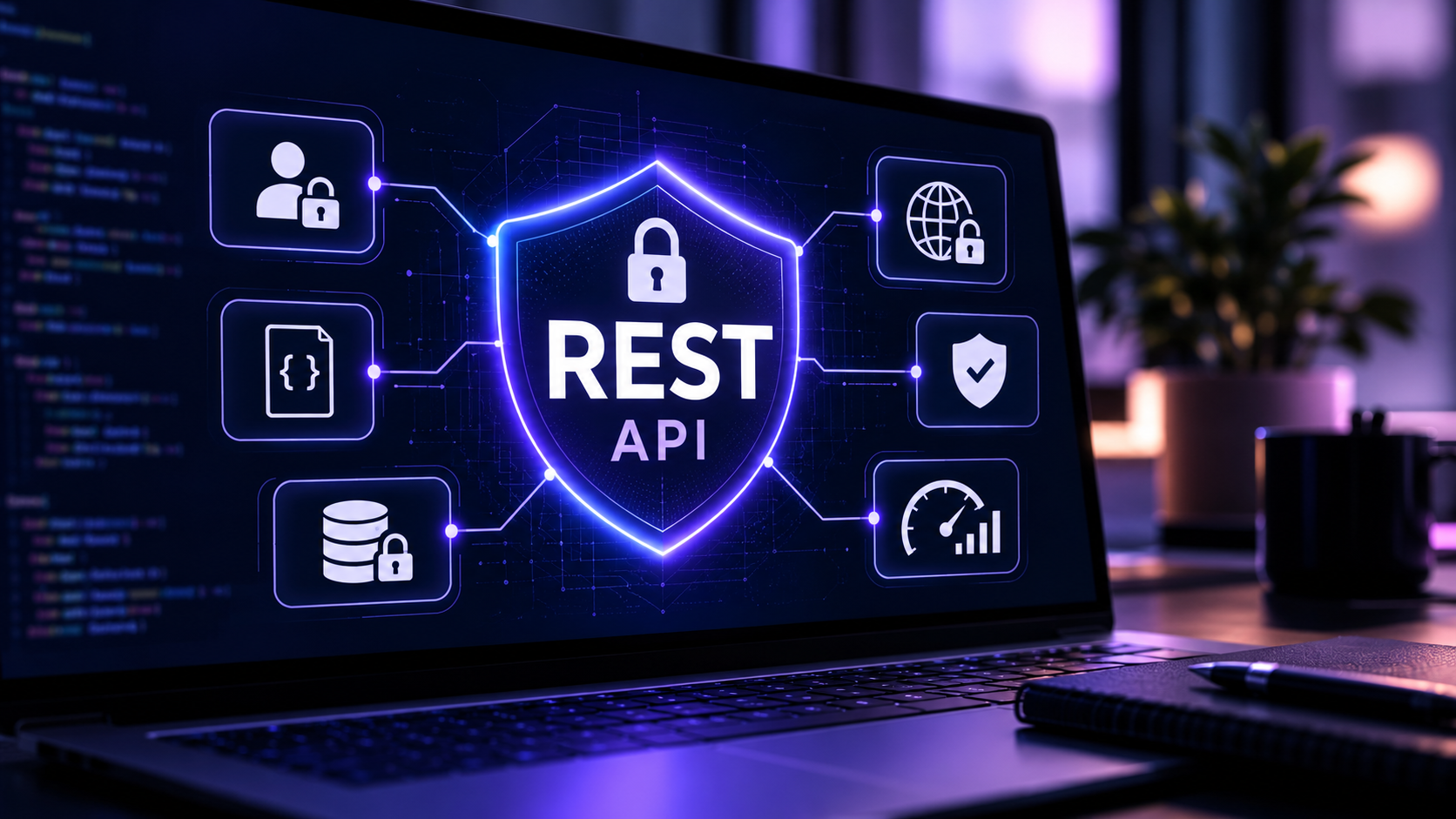
Your API works perfectly in development. Users can sign in, fetch data, and update records. But what happens when someone changes an ID in the request, sends a thousand requests in a minute, or tries to access an admin endpoint with an ordinary account?
These are the questions that matter before your API goes live.
A secure REST API checks who is making each request, what they are allowed to do, what data they can access, and how the server should handle unexpected input or traffic. This practical REST API security checklist walks through those decisions with examples you can adapt to your own project.
You do not need to be a security specialist to start. You do need to treat security as part of API design, not as a final feature added just before deployment.
REST API security checklist at a glance
Use this list during development, code review, and release preparation:
- Serve production API traffic over HTTPS.
- Authenticate protected requests using a suitable, validated authentication mechanism.
- Check authorization at every protected endpoint, including access to individual records.
- Separate ordinary user actions from privileged administrative actions.
- Validate request bodies, parameters, content types, and payload sizes.
- Return only the response fields the caller is permitted to see.
- Use parameterized database queries and safe data-handling practices.
- Apply rate limits, quotas, timeouts, and resource limits where appropriate.
- Protect API keys, tokens, passwords, and other secrets.
- Configure CORS carefully and add CSRF protection when cookie-based authentication requires it.
- Keep errors useful to clients without revealing internal details.
- Record security-relevant events without logging sensitive credentials or personal data unnecessarily.
- Update dependencies and restrict administrative or debug interfaces.
- Test unauthorized, cross-user, malformed, and excessive requests before deployment.
A checklist helps you remember the controls, but it cannot prove that a system is secure. Each item needs to be implemented and tested in your actual environment.
1. Use HTTPS for every production API request
HTTPS encrypts HTTP traffic in transit using TLS. Without it, an attacker in a position to observe or interfere with network traffic may be able to read or modify sensitive requests and responses.
This matters for login credentials, bearer tokens, API keys, customer information, and ordinary application data.
What to check:
- Use a valid TLS certificate on your public API domain.
- Redirect HTTP traffic to HTTPS where applicable, and do not expose protected endpoints over plain HTTP.
- Configure your reverse proxy, load balancer, and application to handle HTTPS correctly.
- Avoid placing passwords, access tokens, or API keys in URL query strings because URLs can be recorded in logs and other systems.
For browser applications, HTTPS also creates a safer foundation for secure cookies and modern web security features. HTTPS protects data in transit, but it does not replace authentication or authorization.
2. Authenticate users and services properly
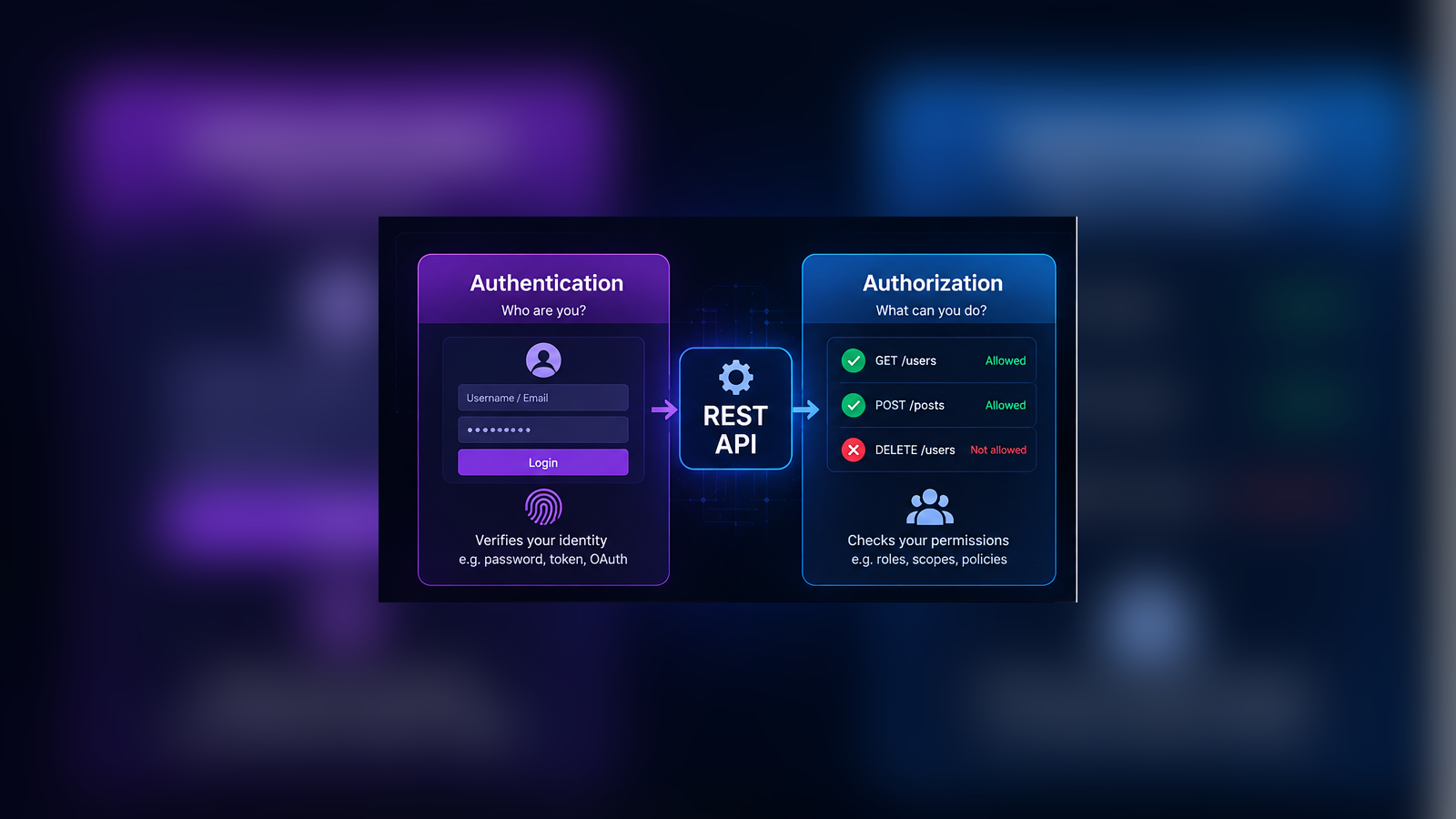
Authentication answers one question: Who is making this request?
For a login-based application, authentication might use a server-managed session. For a distributed API, it might use OAuth 2.0 access tokens. The right choice depends on the clients, your identity provider, and your threat model.
For example, a protected request may include:
GET /api/profile HTTP/1.1
Host: api.example.com
Authorization: Bearer <access-token>
The API must validate the token or session on the server. For signed tokens, that typically means verifying the expected signature algorithm, issuer, audience, expiration, and other relevant claims. Do not treat a decoded JWT payload as proof of identity.
Keep these points in mind:
- Use trusted, maintained authentication libraries rather than inventing your own token format.
- Limit token lifetime based on risk and provide an appropriate revocation or session termination strategy.
- Protect refresh tokens and long-lived credentials particularly carefully.
- Apply stronger authentication, such as multifactor authentication, to sensitive administrative access when suitable.
- Never assume that a request is authenticated simply because the frontend hides a login-protected page.
Important distinction: Authentication proves identity. Authorization decides whether that identity may perform a particular action.
3. Check authorization for each resource and action
This is one of the most important checks in the entire article.
Imagine a learning platform with this endpoint:
GET /api/students/1042/resultsA signed-in student should be able to view their own results. What if they change 1042 to 1043? If the server returns another student’s information, the API has a broken object-level authorization problem.
The fix is not to hide record IDs, use UUIDs, or rely on the frontend. The server must verify that the requesting user can access that exact record.
For example, the application should query a record using both the requested identifier and an access condition, rather than looking up the identifier alone:
SELECT id, course_id, score
FROM student_results
WHERE id = :result_id
  AND student_id = :authenticated_student_id;
The student ID must come from trusted, verified server-side identity context, not from an editable value supplied by the browser. In a multi-tenant application, the query may also need an institute or organization scope and additional enrollment or role checks.
The same principle applies to updates and deletes. A user who can read one record should not automatically be able to modify it.
Check at least three levels:
- Function level: Can this role call this endpoint at all? For example, can a student open an admin-only report?
- Object level: Can this user access this specific student, order, invoice, or document?
- Property level: Can this user view or change each field, such as
role,price, orpaymentStatus?
OWASP identifies broken object-level authorization as API1 in its API Security Top 10 (2023) (opens in a new tab).
4. Validate every input and control every output
A JSON request body is not automatically trustworthy because it looks well formed.
Suppose a user updates their profile:
{
  "displayName": "Alex",
  "role": "admin"
}
If the server blindly copies all submitted fields into the user record, an ordinary profile update might change a privileged property.
A safer approach is to define an explicit input schema and accept only fields that users are allowed to change. For example, a profile update may permit displayName and nothing else.
Validate the following on the server:
- Required fields and data types
- String lengths, allowed values, and numeric ranges
- Identifier formats and relationships
- Request body size and supported content types
- File types and upload limits, where files are accepted
- Unexpected properties that should be rejected or ignored according to a deliberate policy
Use parameterized SQL queries, not string concatenation, for database access. Encode data appropriately for its eventual output context and use safe libraries when processing files, templates, or external URLs.
Output matters just as much. Avoid returning your entire database record if the client only needs a name and a profile picture. Explicit response fields reduce accidental exposure of password hashes, internal notes, personal details, and administrative flags.
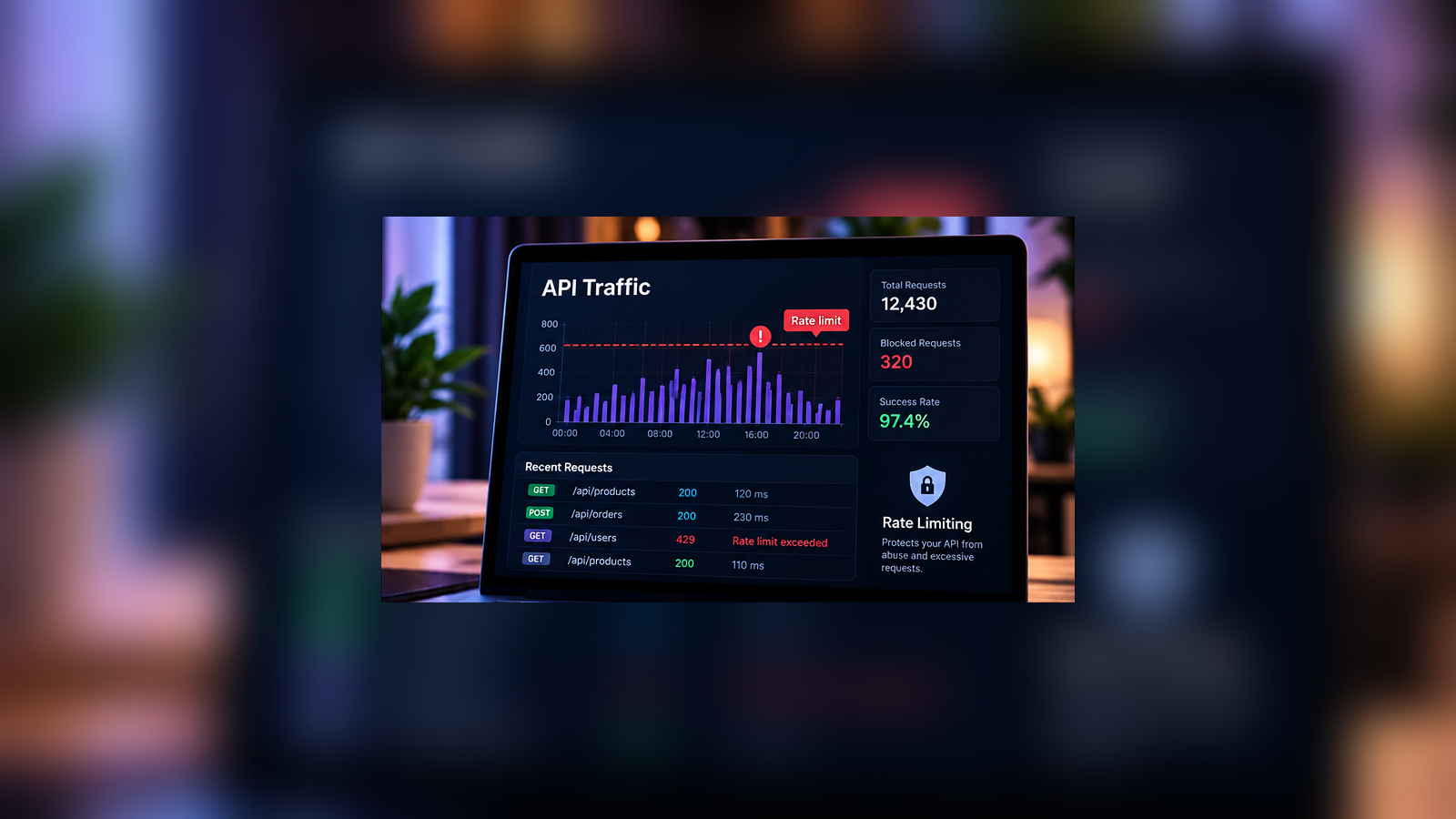
5. Add rate limiting and resource protection
Even an authenticated request can use too many resources. A search endpoint, report export, file upload, or password-reset flow can become expensive if called repeatedly.
Rate limiting controls how often a client can perform an action. But the broader goal is to protect CPU time, database capacity, storage, bandwidth, third-party spending, and sensitive business operations.
For example, you might use different policies for different routes:
| Endpoint | Protection to consider |
|---|---|
POST /api/login | Rate limiting by account and network signals, abuse detection |
GET /api/products | Per-client request limits, caching where appropriate |
POST /api/reports | Per-user concurrency limits, query timeouts |
POST /api/uploads | File size limits, storage quotas, upload scanning where relevant |
POST /api/invitations | Per-account quotas and anti-abuse checks |
These are examples of controls, not universal numeric thresholds. Set actual limits using expected traffic, infrastructure capacity, and testing.
When a request exceeds a rate limit, 429 Too Many Requests is often appropriate. Where useful, include a Retry-After header.
Remember that IP-only limits can affect several legitimate users sharing one network and may be bypassed by distributed traffic. Use multiple signals when necessary and place resource controls at more than one layer.
6. Store and transmit secrets safely
An API key gives access to whatever its permissions allow. Treat it like a credential, not like ordinary configuration text.
Avoid hardcoding production secrets in frontend JavaScript, mobile application bundles, public repositories, screenshots, or client-visible error responses. Anything delivered to a public browser should be treated as observable by its user.
Use a managed secrets service or a secure deployment-time configuration system. Grant each key the minimum permissions it needs, and establish a plan for rotation and revocation.
For user authentication:
- Use established password-hashing algorithms and current library guidance, rather than reversible encryption or fast general-purpose hashes for passwords.
- Protect tokens from accidental logging and exposure.
- Scope service credentials by environment and purpose.
- Rotate compromised secrets promptly and investigate their use.
API keys are not a substitute for user-level authorization. A key identifying an application does not necessarily identify the human behind a request.
7. Configure CORS and cookies correctly
Cross-Origin Resource Sharing, or CORS, tells browsers which origins are allowed to read cross-origin responses. It is useful when your frontend and API are hosted on different domains.
For example, you may have:
Frontend: https://app.example.com
API:      https://api.example.com
If authenticated browser requests need cross-origin access, explicitly allow only the trusted origins that require it. Avoid reflecting arbitrary request origins, particularly when credentials are included.
CORS is not an authentication or authorization mechanism. Scripts, command-line tools, and servers can send HTTP requests without depending on browser CORS enforcement.
If your application authenticates users with cookies, review the cookie’s Secure, HttpOnly, and SameSite settings and add CSRF protection where the request pattern requires it. These protections address different risks and must be considered together.
See MDN’s CORS configuration guidance (opens in a new tab) for more details.
8. Return safe errors and useful status codes
A client needs to know what happened. It does not need to see your database schema, stack trace, server file paths, or secret configuration.
For example, a useful client response might be:
{
  "error": "Access denied",
  "code": "FORBIDDEN"
}
Detailed technical diagnostics should stay in protected server-side monitoring systems.
Use meaningful HTTP status codes:
| Code | Typical meaning |
|---|---|
400 | Invalid request syntax or input |
401 | Authentication is missing or invalid |
403 | Authenticated caller lacks permission |
404 | Resource is not found, or its existence is intentionally concealed |
405 | HTTP method is not supported for that endpoint |
429 | Request limit has been exceeded |
500 | Unexpected server error |
Do not return 200 OK for every failure. Consistent status codes make APIs easier to maintain and monitor.
9. Log important events without collecting secrets
Security logging helps you investigate suspicious activity, failed authorization checks, and unexpected changes. It also helps distinguish attacks from ordinary application bugs.
Useful events may include repeated failed login attempts, denied access to records, unusual token activity, administrative changes, and changes to security settings.
Your logs should include enough context to investigate, such as a timestamp, request identifier, route, and appropriately protected user or service identifier. Avoid recording full authorization headers, passwords, session cookies, or sensitive request bodies.
Control who can access logs, how long they are retained, and how alerts are handled. Logging without someone reviewing relevant alerts provides limited protection.
10. Harden dependencies, endpoints, and integrations
The security of your API depends on more than its route handlers.
Keep your framework, runtime, authentication packages, database drivers, and other dependencies supported and updated. Remove unused routes and disable debug features in production. Restrict database administration panels, diagnostics, and internal management APIs.
Also inspect connections to other services. If your application fetches a user-supplied URL, for example, an attacker may try to make your server contact internal or restricted systems. This is a server-side request forgery (SSRF) risk. Validate destinations, restrict network access, and protect redirects and DNS resolution appropriately for the use case.
When consuming third-party APIs, do not assume their responses are safe. Check response structure, use sensible timeouts, and handle failures without creating cascading outages.
11. Test your API as a user who should not have access
A successful request from the intended account proves that a feature works. It does not prove that the access controls work.
Before release, create at least two ordinary test accounts, ideally belonging to different organizations if your product is multi-tenant, plus any relevant admin and staff roles.
Then run tests like these:
- Sign in as User A and request User B’s record. Confirm access is denied.
- Change the organization or record identifier in a request. Confirm the server enforces the correct scope.
- Use an ordinary user token on an admin-only endpoint. Confirm it is rejected.
- Try updating a protected field such as
roleorisPaidin an otherwise valid payload. - Send a request with no credential, an invalid credential, and an expired credential.
- Send oversized, malformed, and unexpected inputs.
- Exercise rate limits and verify that the system responds predictably.
- Review responses and logs for accidental exposure of sensitive data.
Automate repeatable authorization tests in your CI pipeline. Use vulnerability scanning and dependency checks as supporting tools, not as replacements for manual review of business logic.
Only test systems you own or are explicitly authorized to assess.
A worked example: securing a student-results endpoint
Consider an online learning platform where a student signs in to view a result.
Endpoint: GET /api/results/:resultId
A basic secure request flow could look like this:
- Accept the request only over HTTPS in production.
- Validate the session or access token.
- Parse and validate
resultId. - Find the record using the ID plus the authenticated user’s allowed student and organization scope.
- Check the relevant enrollment or role permissions.
- Select only fields the student may view.
- Return a suitable status code and record the outcome without revealing secrets.
A useful test matrix is:
| Test request | Expected result |
|---|---|
| Student opens their permitted result | 200 OK |
| Student opens another student’s private result | 403 Forbidden or deliberately concealed 404 Not Found |
| No valid authentication | 401 Unauthorized |
| Student tries to change a result’s score | Denied unless explicitly authorized |
| Student submits an invalid identifier | Safe validation response |
This example is intentionally framework-neutral. A real implementation must also account for database permissions, caching, tenant boundaries, and any rules for teachers, parents, or administrators.
Common REST API security mistakes
A few shortcuts are especially tempting during a busy release:
- “The frontend hides the button.” Attackers can call the API directly. Enforce permissions on the server.
- “Our IDs are random.” Unpredictable identifiers help in some situations, but do not provide authorization.
- “We use JWT, so the endpoint is secure.” A valid token does not prove permission to access every resource.
- “CORS blocks outsiders.” CORS controls browser cross-origin response access, not who can call your API.
- “We have a rate limiter.” A single request limit does not address expensive operations, leaked credentials, or business-logic abuse.
- “The security scanner passed.” Automated scanning cannot understand every ownership rule or business workflow.
Frequently asked questions
Is HTTPS enough to secure a REST API?
No. HTTPS protects traffic in transit. You still need server-side authentication, authorization, validation, abuse controls, secure configuration, and ongoing testing.
What is the difference between authentication and authorization?
Authentication establishes who is making a request. Authorization determines what that user or service may access or change. APIs need both for protected operations.
Should I use JWT or sessions for my REST API?
Both can be appropriate. Server-managed sessions are often practical for traditional web applications. Token-based approaches can suit distributed clients and identity providers, but require careful validation, storage, expiration, and revocation design. Choose based on how your clients authenticate rather than assuming JWT is always more secure.
Are API keys secure for user login?
API keys can identify calling applications or support service access, but they generally should not replace a properly designed user authentication and authorization system for sensitive personal accounts.
How often should an API security checklist be reviewed?
Review it before major releases and whenever you add endpoints, change authentication, introduce roles, integrate another service, or alter how personal data is handled. Reassess controls regularly as dependencies and threats change.
Final thoughts
Securing a REST API means making deliberate decisions at every boundary: the network, the login process, the endpoint, the individual resource, the database, and the services your application calls.
Start with the basics, especially HTTPS, trustworthy authentication, and record-level authorization. Then build out validation, resource limits, secret handling, logging, and repeatable tests. Your goal is not a checklist with every box ticked once. It is an API whose security decisions remain correct as the product grows.
If you are reviewing an existing backend, choose one sensitive endpoint today and test whether a different logged-in user can access its data. That single test can reveal a design assumption worth fixing across the rest of your API.
References and further reading
Keep exploring


Join the conversation
Keep comments respectful and relevant. Please don't share private or sensitive information.
Discussion (0)
Join the conversation