AI Agents vs AI Chatbots: What's the Difference?
Understand the difference between AI agents and AI chatbots with practical examples, a comparison table, and guidance on choosing the right AI solution.
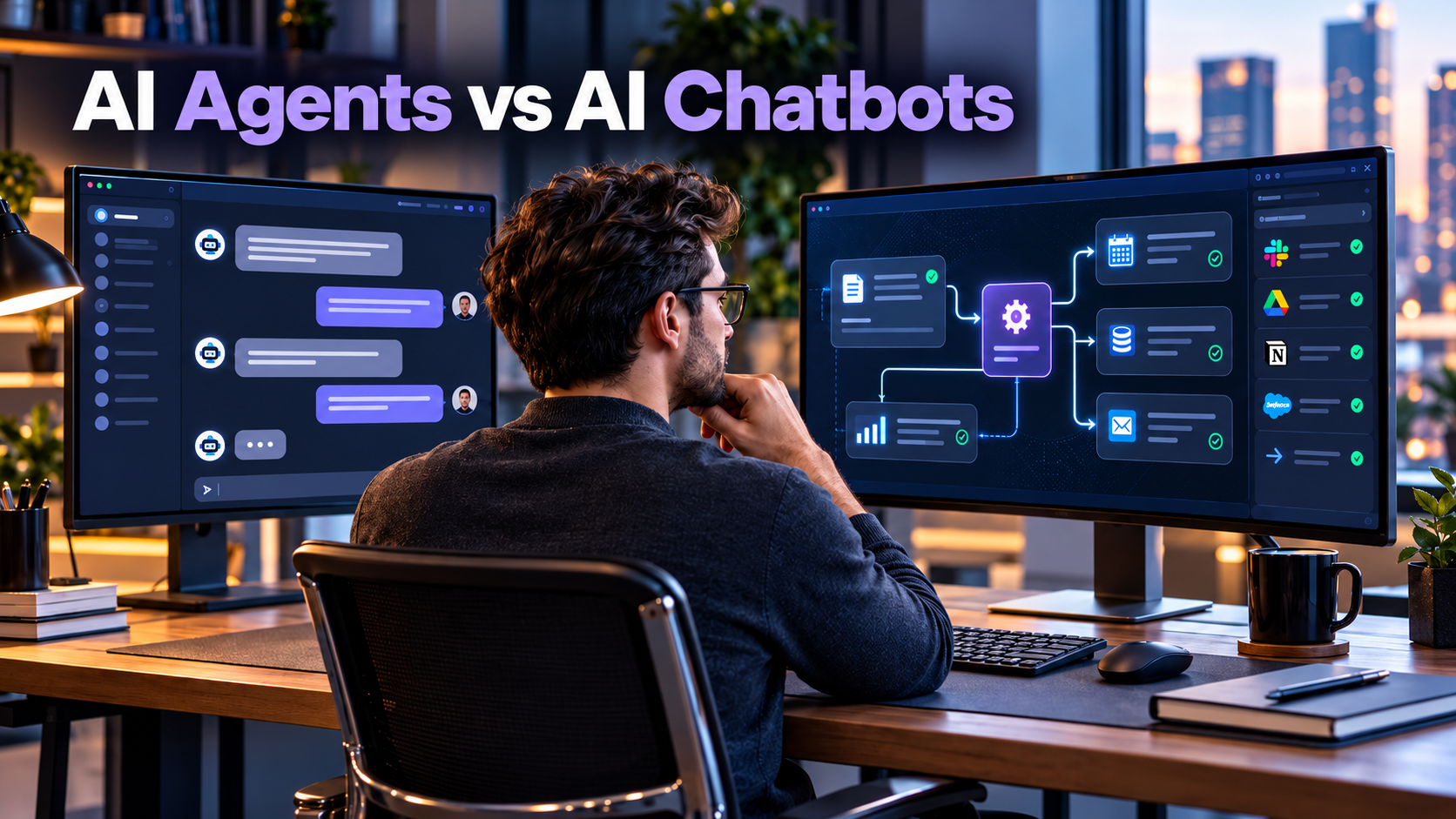
Imagine a customer visiting an online store and asking, “My order arrived damaged. Can you help me replace it?”
One AI system might explain the return policy and point to a form. Another might look up the order, check whether a replacement is allowed, prepare the request, ask the customer to confirm, and submit it through the store’s system.
Both could appear as the same small chat window on the website. But behind that window, they may work very differently.
That is why AI agents vs AI chatbots is more than a question of which technology sounds more advanced. It is a question of what you need the system to accomplish, what decisions it should be allowed to make, and how much control you want to keep.
AI agents vs AI chatbots: the short answer
An AI chatbot is primarily designed to have a conversation with a user. An AI agent is designed to work toward a goal, often by choosing and using tools, evaluating results, and taking further steps.
The distinction is useful, but it is not absolute. A modern chatbot may search a knowledge base, call an API, or complete a simple transaction. An AI agent may also communicate through a chatbot interface. What matters most is how the system decides what to do next, not what its screen looks like.
A simple way to remember it:
- Chatbot: “Here is how you can request a replacement.”
- Agent: “I found your order, checked the replacement rules, and prepared the request. Please confirm before I submit it.”
In a real product, either experience can be useful. The better choice is the one that solves the problem reliably without unnecessary complexity.
What is an AI chatbot?
An AI chatbot is software that interacts with people through natural language, usually by text or voice. It can answer questions, guide visitors, collect information, and help people navigate a service.
Not every chatbot uses the same technology.
Rule-based chatbots
A rule-based chatbot follows predefined paths. For example, a support bot might ask whether you need help with an order, a refund, or your account, then display the appropriate instructions.
This approach can be a good fit when questions and answers are predictable. Its limitations become obvious when a person asks something outside the prepared paths.
AI-powered chatbots
An AI-powered chatbot may use a large language model (LLM) to understand flexible requests and generate conversational answers. It may also retrieve information from company documentation, product catalogs, or help articles so the response is grounded in relevant material.
For example, a website chatbot might answer:
“Do you offer international shipping, and how long does delivery usually take?”
If connected to reliable shipping information, it can provide the relevant policy and help the visitor find the next step. That alone does not require an open-ended agent.
Best-fit chatbot tasks include FAQs, product explanations, onboarding guidance, document Q&A, and collecting details before handing a case to a human.
One important caveat: a chatbot can still make mistakes. A natural-sounding answer is not proof that the information is accurate or current.
What is an AI agent?
An AI agent is a software system that uses an AI model to pursue a goal, select actions, interact with tools or data, and respond to what happens along the way.
It might need to retrieve a record, compare options, call a service, handle an error, ask for approval, and then continue. The exact capabilities depend on how the agent is designed and which permissions it receives.
According to Google Cloud’s agent architecture guidance (opens in a new tab), an agent combines reasoning with tools that interact with external systems. In its discussion of effective AI agents (opens in a new tab), Anthropic makes a useful distinction between predefined workflows and agents that dynamically direct their own tool use.
How an AI agent works
A simplified agent cycle looks like this:
- Understand the goal. Identify the requested outcome and relevant constraints.
- Choose a step. Decide which authorized tool or action may help.
- Use the tool. Fetch information or perform a permitted operation.
- Inspect the result. Determine whether the goal has been met or another step is needed.
- Continue, ask, or stop. Repeat when appropriate, request human approval for sensitive actions, or report a result or blocker.
This decision-and-feedback cycle is often called an agent loop. OpenAI’s Agents SDK documentation (opens in a new tab) describes a similar process in which model outputs may trigger tool calls or handoffs before a final response is returned.
Crucially, an agent does not automatically have access to your email, files, payments, or databases. It can work only with the connections and permissions that the application provides.

AI agents vs AI chatbots: key differences
| Feature | AI chatbot | AI agent |
|---|---|---|
| Primary purpose | Carry on a useful conversation | Complete or advance a goal |
| Typical output | An answer, explanation, or guided interaction | An answer plus actions, artifacts, or updated system state |
| Next-step selection | Often user-led or predefined | Can be dynamically selected by the model |
| Tool access | Optional and increasingly common | Commonly central to accomplishing tasks |
| Task complexity | Usually well suited to narrower interactions | Useful for variable, multi-step problems |
| Oversight | Needed for accuracy and sensitive responses | Also needed for action permissions and consequences |
| Cost and latency | Often simpler to control | Can increase with multiple model calls and tool operations |
| Interface | Frequently a chat widget | Could be chat, a dashboard, a scheduled process, or an API |
These are typical design patterns, not universal rules. A chatbot with advanced tools may behave much like an agent, while a tightly constrained agent may perform only a small number of steps. The label alone tells you less than the actual architecture and permissions.
A third option: predefined AI workflows
It is tempting to choose between only a chatbot and an agent. But many business tasks need neither a free-form agent nor a basic chat interface.
A predefined workflow follows steps written into the software: receive a request, validate fields, check eligibility, and send it to the correct team. An AI model may help interpret a message or classify it, while ordinary code controls the actions.
For a stable, predictable process, that design can be easier to test, less expensive to operate, and simpler to audit. Anthropic’s engineering guidance (opens in a new tab) recommends starting with simpler approaches and adding agentic complexity only when it provides a clear benefit.
One customer request, three different solutions
Let’s use a fictional online store called Northline Goods. A customer writes:
“My headphones arrived damaged. Order 4821. I’d like a replacement if possible.”
The following examples are illustrative system designs, not results from a live product test.
Option 1: A chatbot explains the process
The chatbot retrieves the return policy and responds:
“I’m sorry the headphones arrived damaged. You can request a replacement using our returns form. Please have your order details ready.”
What happened? The customer received useful instructions. The system may have used a knowledge base, but the customer still needs to complete the task.
Good fit: A store with a modest support volume and a straightforward self-service process.
Option 2: A predefined workflow prepares the request
A form or chatbot collects the order number and damage details. Software follows a fixed sequence:
- Verify that order 4821 exists.
- Check the return window and replacement policy.
- Collect any missing information.
- Create a pending replacement request when the fixed rules are satisfied.
- Ask for confirmation before submission.
What happened? The system carried out a structured process, but the code defined the route. The model did not need to invent or choose the next operational step.
Good fit: A company with consistent policies and repeatable transactions.
Option 3: An agent handles a variable case
Suppose the replacement path is less predictable. The order includes two items, the damage report is incomplete, and the originally purchased color is unavailable.
An appropriately configured agent might:
- Retrieve the order and identify the affected item.
- Check replacement eligibility and available inventory.
- Notice the original color is unavailable.
- Ask whether the customer accepts another color or prefers a human review.
- Prepare the selected resolution through an authorized tool.
- Request explicit confirmation before the replacement is submitted.
- Verify the result and report the actual request status.
What happened? The system selected different steps based on information it encountered. Its value was not merely writing a better response, but navigating an uncertain task within defined limits.
Good fit: A business with genuinely variable cases, several connected systems, and a clear plan for permissions, error handling, and human review.

What the example reveals
The agent is not automatically the winner.
If the replacement policy can be expressed as reliable rules, the predefined workflow may be the better engineering decision. If most customers simply need information, a chatbot may be enough. An agent is worth considering when the path changes from case to case and the model’s decisions offer real value.
When should you choose a chatbot, workflow, or agent?
Instead of asking, “Which AI technology is the newest?” ask, “Where does the work actually become difficult?”
| Your situation | Sensible starting point | Why |
|---|---|---|
| Visitors repeatedly ask about policies or features | Chatbot with trusted content | Fast access to information |
| Customers need help choosing from documented product options | Chatbot with product retrieval | Conversational guidance without unnecessary actions |
| Every request follows a known approval or form sequence | Predefined workflow | Predictable steps are easier to validate |
| Requests require different research and tool steps each time | Bounded AI agent | Flexible decisions can reduce manual coordination |
| Actions could move money, delete records, or expose private data | Human-led process with restricted automation | Consequences demand stronger controls |
A practical starting strategy is to deploy the smallest system that solves the real user problem. Add retrieval, tools, and carefully restricted automation only where they improve the outcome.
A five-question decision test
Before adding an agent to your product, answer these questions:
- Does the task need more than an answer?
- Do the required steps change significantly between requests?
- Does completing the task require multiple systems or tools?
- Can the system check whether each step actually succeeded?
- Can you define permissions, approvals, failure handling, and a stopping point?
If the first three answers are mostly no, an agent may be unnecessary. If the first three are yes but the last two are no, the problem is not yet ready for broad automation.
What makes an AI agent harder to build safely?
Giving software the ability to act introduces risks that a purely informational chatbot may never encounter.
Incorrect actions. An inaccurate answer can confuse someone. An incorrect tool call could change a record, send a message, or create a real transaction. Actions should be validated against business rules, not accepted only because the model proposed them.
Prompt injection. An agent may read an email, document, or web page containing malicious instructions. Those instructions can attempt to redirect the agent away from the user’s goal. External content should be treated as untrusted, and sensitive tool permissions should be independently enforced.
Privacy and access. An agent should receive only the data and permissions it actually needs. Credentials, customer records, and tool outputs require appropriate controls and retention policies.
Cost and unpredictable execution. More tool calls and reasoning steps can add latency and cost. Put limits on tool usage, retries, spending, and execution time, and measure actual outcomes rather than counting generated messages.
The OWASP Top 10 for Agentic Applications 2026 (opens in a new tab) is a useful starting point for examining security issues specific to systems that plan and act. For high-impact operations, Google Cloud’s architecture guidance (opens in a new tab) also describes human approval checkpoints.
How to start building responsibly
You do not need a complicated multi-agent system to explore the idea. For a business application or SaaS product, a small pilot is a more informative starting point.
- Choose one narrow use case. For example, preparing customer support cases rather than independently resolving every possible dispute.
- Write down success criteria. Define what correct completion looks like, when the system must stop, and what evidence confirms the result.
- Map the trusted data and tools. Separate read-only operations from actions that change data or contact people.
- Start with the simplest implementation. Try a chatbot or fixed workflow before adding model-directed tool choices.
- Add approval gates. Require user or staff approval for sensitive or irreversible actions.
- Test edge cases. Include missing data, conflicting records, unauthorized requests, tool failures, and misleading external content.
- Track quality and cost. Measure successful completions, errors, escalations, time to resolution, and operating cost using your own pilot data.
For developers, the OpenAI Agents SDK (opens in a new tab) provides an example of agent development with tools, handoffs, and application-managed controls. It is one option, not a requirement for building useful automation.
Frequently asked questions
Is ChatGPT a chatbot or an AI agent?
It depends on the capabilities being used. In a conversational experience, ChatGPT can function as an AI chatbot or assistant. In configurations that can use tools and carry out multi-step work, it can also support agent-like tasks. A product name alone does not reveal which actions are available in a particular session.
Can an AI chatbot take actions?
Yes. A chatbot can connect to APIs and perform permitted actions, such as retrieving an order or submitting a form. Tool access alone does not make every chatbot a fully agentic system. The important questions are whether actions are predefined or dynamically selected and how their results are checked.
Are AI agents always autonomous?
No. Autonomy exists on a spectrum. Some agents choose several steps independently; others pause frequently for confirmation. A well-designed agent should be able to request approval, hand work back to a person, and stop when it reaches a limit.
Do small businesses need AI agents?
Not necessarily. Many small businesses can solve customer questions, intake requests, and repetitive administrative tasks using a good knowledge base, a chatbot, or a conventional workflow. An agent becomes more interesting when unpredictable multi-step work creates enough value to justify extra cost and oversight.
Will AI agents replace chatbots?
Not completely. Conversation is still a useful interface, and many questions do not require action. In practice, a single product may combine a chatbot interface, predefined workflows, and an agent for more complex requests.
The bottom line
AI chatbots help people interact with information. AI agents help systems pursue outcomes through decisions and actions. Modern products increasingly blur the boundary, so the name matters less than the behavior, permissions, and reliability of the actual system.
If you are choosing technology for your website, business, or SaaS application, begin with the user’s task. Build a clear answer when an answer is enough. Build a reliable workflow when the steps are known. Consider a bounded agent when the work is genuinely variable and needs decisions across tools.
If you are planning a software product and need help thinking through the user experience, integrations, or implementation approach, explore Glimpz AI (opens in a new tab) and the team’s digital product services.
References and further reading
- Anthropic: Building effective agents (opens in a new tab). Explains the distinction between model-directed agents and predefined workflows.
- Google Cloud: Choose your agentic AI architecture components (opens in a new tab). Introduces agent capabilities and architecture.
- Google Cloud: Choose a design pattern for your agentic AI system (opens in a new tab). Includes human-in-the-loop approaches.
- OpenAI: Running agents (opens in a new tab). Documents the tool-use and continuation loop.
- OWASP: Top 10 for Agentic Applications 2026 (opens in a new tab). Covers security considerations for autonomous and agentic systems.
Keep exploring



Join the conversation
Keep comments respectful and relevant. Please don't share private or sensitive information.
Discussion (0)
Join the conversation